
If you’ve ever tried scaling WhatsApp marketing manually, you know how chaotic it gets. One moment you’re juggling customer inquiries across your phone, the next you’re watching leads slip away because responses took too long. WhatsApp automation platforms have become essential infrastructure for businesses serious about customer engagement — but not all solutions are created equal.
Wati.io and BotSailor have emerged as two of the most talked-about players in the WhatsApp business communication space. Both promise to streamline customer conversations, boost response times, and turn WhatsApp into a genuine sales and support channel. Yet they approach the problem differently, targeting different business types with different philosophies.
This guide cuts through the marketing speak. I’ve tested both platforms extensively, integrated them with real workflows, and seen how they perform when the pressure’s on. By the end, you’ll know exactly which one fits your business — and which one you should skip.
Wati.io: The Enterprise-Grade WhatsApp Automation Platform
What It Actually Is
Wati.io positions itself as the comprehensive WhatsApp management platform for businesses that treat chat as a critical sales and support channel. It’s built for teams, not solo operators. Think of it as a CRM-meets-automation tool specifically designed around WhatsApp’s business capabilities.
The core offering includes conversation management, automated workflows, chatbot building, and team collaboration features. Wati integrates deeply with WhatsApp Business API, meaning you get access to higher message limits and verified business status.
Who It’s Built For
Wati thrives when handling volume. E-commerce brands, SaaS companies with customer bases in the hundreds, agencies managing multiple client accounts, and customer support teams that live on WhatsApp — these are Wati’s sweet spots. If your business runs on WhatsApp conversations, Wati wants to be your command center.
Real Example: A D2C Fashion Brand’s Story
Let me paint a realistic picture. A direct-to-consumer fashion brand was managing 2,000+ WhatsApp conversations monthly — mostly order updates, sizing questions, and returns inquiries. Their founder was spending 15 hours per week just copy-pasting responses. They set up Wati with:
- Automated order status triggers (“Your order has shipped!”)
- FAQ chatbot for common sizing questions
- Smart routing to their small support team for complex issues
- Broadcast campaigns for new collection launches
Within two weeks, response time dropped from 8 hours to 15 minutes on average. The team could actually focus on high-value interactions instead of repeating the same answers. That’s the Wati promise in action.
Wati.io Pros (The Real Strengths)
Wati’s dashboard feels polished and enterprise-grade. The automation builder uses a visual workflow system that, once you grasp the logic, becomes surprisingly powerful. You can chain complex conditional workflows — if customer says X, then do Y, else do Z — without touching code.
The team features are legit solid. You can assign conversations to specific team members, set up role-based permissions, and actually collaborate without chaos. Multi-agent support means larger teams can work simultaneously without stepping on each other’s toes.
WhatsApp API integration is seamless. If you’re serious about volume and compliance, Wati handles the technical complexity. You also get better analytics than most competitors — tracking conversation metrics, response times, and even conversion data.
Template library is extensive and actually useful. Whether you need order confirmations, appointment reminders, or customer satisfaction surveys, they’ve got pre-built templates that save hours of setup time.
Wati.io Cons (Where It Struggles)
Here’s the honest part: Wati has a learning curve. The dashboard is feature-rich, which means it’s also information-dense. If you’re a non-technical founder setting this up alone, expect to spend time with documentation or support.
Pricing scales quickly once you grow beyond their starter tier. If you’re sending tens of thousands of messages monthly, costs add up. We’ll dive deeper into numbers later, but this is worth flagging now.
The AI chatbot capabilities, while present, feel like an add-on rather than a core strength. If you’re looking for sophisticated NLP-based conversation handling, you might feel limited. Their bots work well for rule-based automation but struggle with nuanced language understanding.
Setup time for complex workflows can be lengthy. It’s not a “plug and play” situation for intricate automation sequences. Small businesses with minimal technical resources sometimes find themselves stuck.
BotSailor: The No-Code Automation Shortcut
What It Actually Is
BotSailor markets itself as the “no-code WhatsApp automation builder.” In practice, that means it’s optimized for speed and simplicity over depth. If Wati is the Swiss Army knife, BotSailor is the reliable pocket knife.
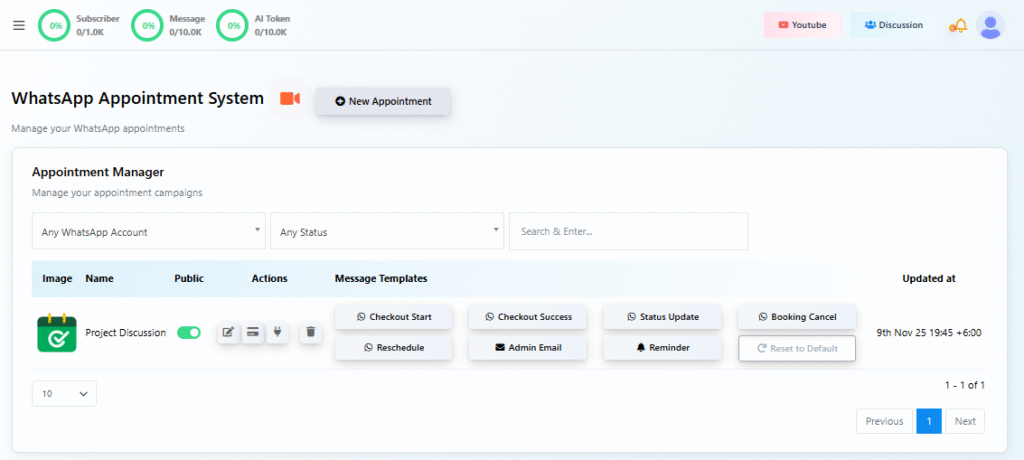
The platform centers on a drag-and-drop chatbot builder and basic automation workflows. You can create customer journeys, respond to keywords, and set up broadcasts without writing a single line of code. The interface prioritizes intuition over power.
Who It’s Built For
BotSailor shines for small-to-medium businesses, agencies managing multiple small accounts, and entrepreneurs just entering WhatsApp automation. If you need something up and running in hours — not days — BotSailor makes sense. Service providers, local businesses, and startups with lean tech teams gravitate here.
Real Example: A Coaching Agency’s Quick Win
Picture a coaching agency with 50 active clients. They were manually sending daily workout reminders, session confirmations, and motivational messages. Setting up WhatsApp automation felt overwhelming with other platforms. With BotSailor:
- Built a keyword-triggered bot (“WORKOUT” triggers daily reminders)
- Set up appointment confirmation flows
- Designed a simple lead qualification chatbot for inquiries
- Launched everything within four hours of signup
No developer involved. The agency’s operations manager handled the entire setup. Three months in, they’ve reduced admin time by 5 hours weekly and clients report feeling more engaged.
BotSailor Pros (Why People Love It)
The onboarding is genuinely fast. I’ve watched non-technical users go from signup to their first working chatbot in under 30 minutes. That’s not marketing hype — it’s real.
The flow builder is intuitive. It uses a card-based system where you drag conditions, responses, and actions together. It feels like you’re building something, not deciphering code.
Pricing is transparent and gentle on early-stage budgets. You can experiment and scale without fear of surprise bills. The free tier actually lets you test before committing money.
Customer support is personal. The BotSailor team seems to actually care about customer success, not just feature checklists. Response times are typically measured in hours, not days.
BotSailor Cons (Where It Falls Short)
As you grow, limitations become obvious. The platform handles 1,000-5,000 monthly conversations comfortably. Beyond that, you’ll hit friction. Workflow complexity doesn’t scale as smoothly as Wati’s system.
The analytics are basic. You get message counts and user metrics, but nothing comparable to Wati’s conversation intelligence. If you need deep insights into customer behavior, you’ll feel limited.
Integration options are narrower. BotSailor connects to the essentials but lacks the ecosystem depth of larger platforms. If you’re using specialty CRMs or custom tools, you might face integration challenges.
AI capabilities are minimal. There’s no sophisticated language processing here — just keyword matching and simple conditional logic. If you’re imagining a true conversational AI, reset your expectations.
Multi-agent support is functional but basic. For teams beyond five people, coordination becomes clunky. You won’t get the same team collaboration features that Wati offers.
Feature Comparison: Breaking Down the Details
| Feature | Wati.io | BotSailor | Verdict |
|---|---|---|---|
| Automation Workflows | Advanced, condition-based | Basic to intermediate | Wati for complexity; BotSailor for speed |
| Chatbot Builder | Visual with API access | Drag-and-drop no-code | Tied for different user types |
| Team Collaboration | Multi-agent, role-based | Limited, basic assignment | Wati wins for team workflows |
| API Access | Full, developer-friendly | Limited/restricted | Wati for custom integrations |
| Analytics & Reporting | Comprehensive, conversation-level | Basic, message-level | Wati significantly ahead |
| Price per Message | $0.01–$0.05 (varies by tier) | $0.007–$0.02 | BotSailor cheaper at scale |
| Pre-built Templates | 50+ industry-specific | 15–20 basic templates | Wati offers more variety |
| WhatsApp Business API | Native integration | Partner integration | Wati more direct |
| Free Trial | 7 days, full access | 14 days, limited features | BotSailor more generous |
| Onboarding Time | 1–2 weeks typical | 2–4 hours typical | BotSailor wins dramatically |
Ease of Use & Interface: The Day-to-Day Experience
Wati’s Dashboard Philosophy
Walking into Wati’s interface, you immediately sense it’s built for power users. The left sidebar is packed with modules: Conversations, Automations, Chatbot, Contacts, Templates, Analytics, Integrations. Everything is accessible, but nothing jumps out as obvious.
The good news? Once you spend a few hours exploring, the logic becomes intuitive. The conversation panel feels like Gmail for WhatsApp — familiar and organized. Building your first workflow takes patience, but subsequent workflows flow naturally.
The chatbot builder uses flowchart-style blocks. You can visualize your entire customer journey and spot logic gaps before they happen. It’s powerful, but definitely not “quick.”
BotSailor’s User Experience
BotSailor greets you with a cleaner, almost minimal interface. The focus is on your active bots — you see them immediately and can edit quickly. The learning curve is steep for about 20 minutes, then flat-lines.
The drag-and-drop flow builder feels like playing with LEGO. You drag in a “user sends message” block, then attach a “bot responds” block, add conditions, and chain actions. It’s satisfying to watch your automation take shape visually.
One observation: BotSailor’s interface is optimized for single operators or small teams. Once you’re managing 10+ concurrent automations, the interface starts feeling cramped. You’ll find yourself scrolling and remembering what you built rather than seeing it all at once.
Pricing & Value for Money: The Real Numbers
Wati.io Pricing Structure
Wati operates on a tiered model based on team members and message volume:
- Starter: $25/month (1 team member, 1,000 messages/month)
- Growth: $99/month (3 team members, 10,000 messages/month)
- Professional: $249/month (5 team members, 50,000 messages/month)
- Enterprise: Custom pricing
Important note: These prices are for platform access. WhatsApp API charges are separate — roughly $0.0079 per outbound message through Wati’s official integration. For a business sending 100,000 messages monthly, expect an additional $800 in API costs.
The entry point feels reasonable for serious businesses. The scaling is predictable but becomes expensive quickly if you’re messaging-heavy.
BotSailor Pricing Structure
BotSailor keeps it simpler:
- Starter: Free (5,000 messages/month, limited features)
- Growth: $29/month (25,000 messages/month)
- Professional: $79/month (100,000 messages/month)
- Enterprise: Custom pricing
WhatsApp API charges apply here too, but typically at $0.008 per outbound message — slightly higher per-message but the platform fee is lower overall.
The Value Verdict
For early-stage businesses and lean operations, BotSailor is objectively cheaper. The free tier alone lets you test seriously. By 50,000 messages monthly, you’re paying roughly $929 (BotSailor) vs. $1,049 (Wati) — similar, but BotSailor’s simplicity might save you support costs.
For larger operations (200,000+ messages/month), Wati becomes defensible because its team collaboration and advanced analytics reduce hidden costs elsewhere. You’re not paying engineers to figure out what’s working or managers to coordinate team responses.
Use Case Scenarios: Where Each Tool Shines
Scenario 1: E-Commerce Brand Managing Customer Lifecycle
A modern D2C brand selling athleisure has 50,000 monthly customers and needs to send order updates, handle returns, and run reorder campaigns through WhatsApp.
Wati.io Wins Here: The brand builds complex automations triggered by order status, inventory levels, and customer history. Team members handle exceptions together. Analytics track which messages drive repeat purchases. The system becomes a revenue-generating asset, not just a support channel.
Scenario 2: Local Service Business with One Operator
A personal trainer with 30 active clients needs appointment reminders, workout plans sent via WhatsApp, and quick responses to scheduling questions.
BotSailor Wins Here: The trainer sets up keyword-triggered responses (“BOOK SESSION” → appointment options), automated reminders 24 hours before each session, and a simple FAQ bot. Total setup time: two hours. Cost: $29/month. No need for team collaboration features or advanced analytics.
Scenario 3: Agency Managing 20 Small Business Clients
A digital marketing agency wants to offer WhatsApp automation as a white-label service to clients across different industries.
Wati.io Wins Here: Wati’s multi-account management, client-specific templates, and team member permissions make agency operations scalable. The agency can create industry-specific automation templates, duplicate them for new clients, and manage everything from one dashboard.
Scenario 4: Startup Testing PMF with Minimal Budget
An early-stage SaaS company with $2,000 monthly operating budget needs to test WhatsApp as a support and marketing channel without commitment.
BotSailor Wins Here: Free tier covers early customer conversations. As they grow, scaling is linear and predictable. The non-technical founder can build and iterate without waiting for developer resources.
Which One Should You Choose?
Choose Wati.io If:
- Your business sends 10,000+ messages monthly consistently
- You need a dedicated team managing WhatsApp conversations
- You want advanced analytics and conversion tracking
- You’re an agency managing multiple client accounts
- You need sophisticated workflow automation with conditional logic
- Team collaboration and role-based permissions matter
- You can justify a higher budget for better infrastructure
Choose BotSailor If:
- You’re just starting with WhatsApp automation
- Your team is small (under 5 people) or you’re a solo operator
- You need something operational within hours, not days
- Budget constraints are real — you need the cheapest option
- Your conversation volume is under 50,000 messages monthly
- Simplicity and speed matter more than advanced features
- You want to test the concept before major investment
The Middle Ground Reality
Honestly? Many businesses would be happiest with BotSailor initially. Get the basics working, validate WhatsApp’s ROI for your business, then migrate to Wati once you’ve outgrown it. BotSailor won’t catastrophically hold you back in year one, and the cost and time savings are real.
The exception: If you’re already a substantial business (7-figure revenue, multiple team members) and WhatsApp is already central to operations, Wati’s maturity and feature depth justify the premium from day one.
The Bottom Line: Your Next Move
Here’s what matters: neither platform is objectively “better.” They’re built for different stages of business maturity.
Wati.io is the platform for businesses that have proven WhatsApp matters to them — where conversations directly influence revenue and customer retention. It’s the industrial-grade solution for teams scaling communication operations.
BotSailor is the platform for everyone else getting started. It’s the proof-of-concept vehicle that lets you test whether WhatsApp automation deserves real investment in your business.
My recommendation? Sign up for both free trials this week. Spend 30 minutes building the same simple automation on each platform. Time yourself. See which interface clicks with your brain. Your instinct during that test drive matters more than any feature comparison.
Whether you choose Wati.io or BotSailor, your WhatsApp automation strategy can genuinely transform your business growth. The real magic isn’t in the platform — it’s in actually doing it instead of continuing to manually respond to every single message.